Your grow data, out of the app and into a spreadsheet, a file, or a printed page.
Every plant, completed cycle, measurement, task, and care-history entry in your account can be exported in three formats — a CSV archive for spreadsheets, a JSON file for your own tools, or a printable PDF report — free, for every user.
The problem
Data that only lives inside an app is data you can't analyze your own way, share with a grow partner who doesn't use GrowScope, or keep as a personal archive independent of any one service. Being able to see your own numbers only through the app's own screens is a real limitation once you actually want to dig into them.
Why it's hard to solve alone
Your grow history is yours. Whether you want to build your own spreadsheet analysis, feed the numbers into another tool, or just keep an offline record, being locked into one app's UI to see your own data works against you.
How GrowScope helps
From Settings, export your whole account's data — plants, completed cycles, light/PPFD readings, climate readings, watering/feeding (EC/pH) readings, soil moisture readings, plant size measurements, tasks, and care history — as a CSV archive (one file per table, zipped), a JSON file, or a PDF report rendered for printing or saving from your browser's print dialog. This is a separate, lighter export from the full account backup (which also includes your actual photo files, for device migration).
How it works
- Open Settings and find the Data Export card.
- Choose CSV (a zipped archive with one file per data table), JSON (a single structured file), or PDF (opens a print-ready report in a new tab).
- The export covers your whole account at once — plants, completed cycles, all measurement types, tasks, and care history.
- This is built entirely client-side — no server round-trip beyond loading your own already-synced data.
In the app
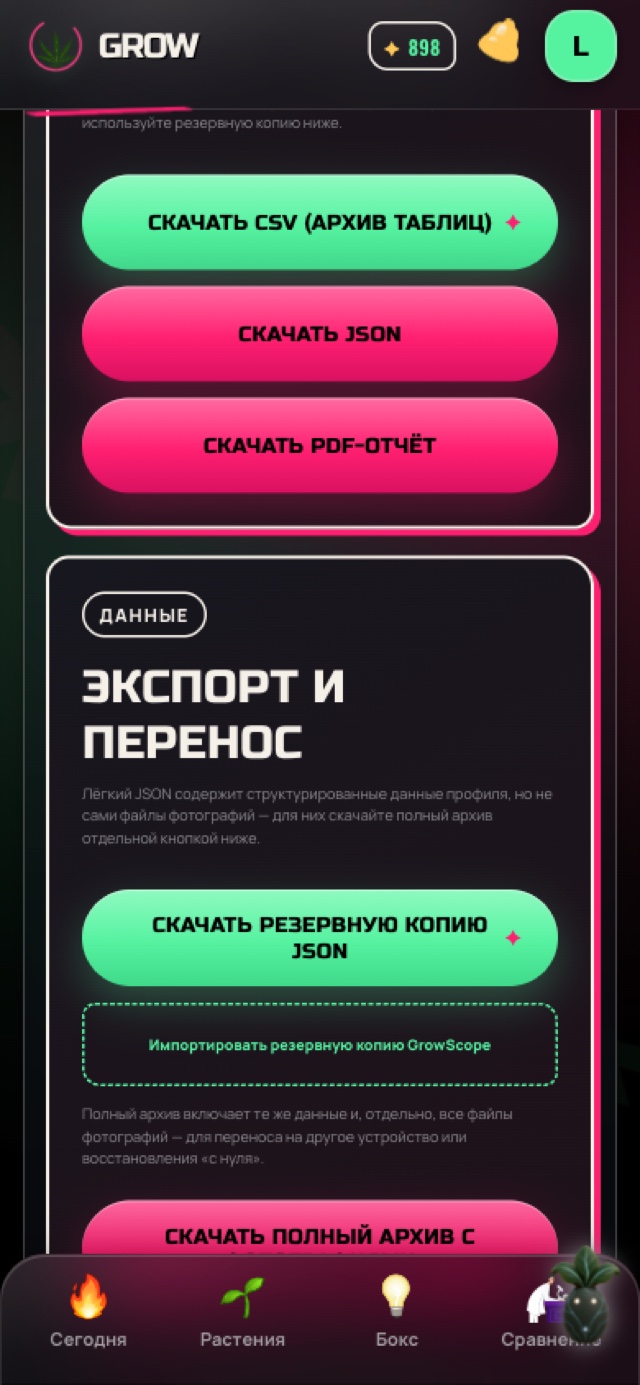
What you get
You get your actual numbers out of GrowScope in a format you can open in a spreadsheet, feed into your own tooling, or print — with no plan restriction and no per-plant limit.
Frequently asked questions
Does the export include my photos?
No — this export covers plants, cycles, measurements, tasks, and history as data, not photo files. For a full copy including photos, use the separate account backup/export feature, meant for migrating your whole profile to a new device.
Can I export just one plant or one cycle instead of everything?
Not currently — the export covers your whole account at once. There's no per-plant or per-cycle filter yet.
Is data export a Pro feature?
No — CSV, JSON, and PDF export are free for every account, with no plan restriction.
How is the PDF actually generated?
It opens a formatted report in a new browser tab and uses your browser's own print function — so you print it or save it as a PDF from there, rather than downloading a pre-built PDF file directly.