See exactly where air actually pools in your box.
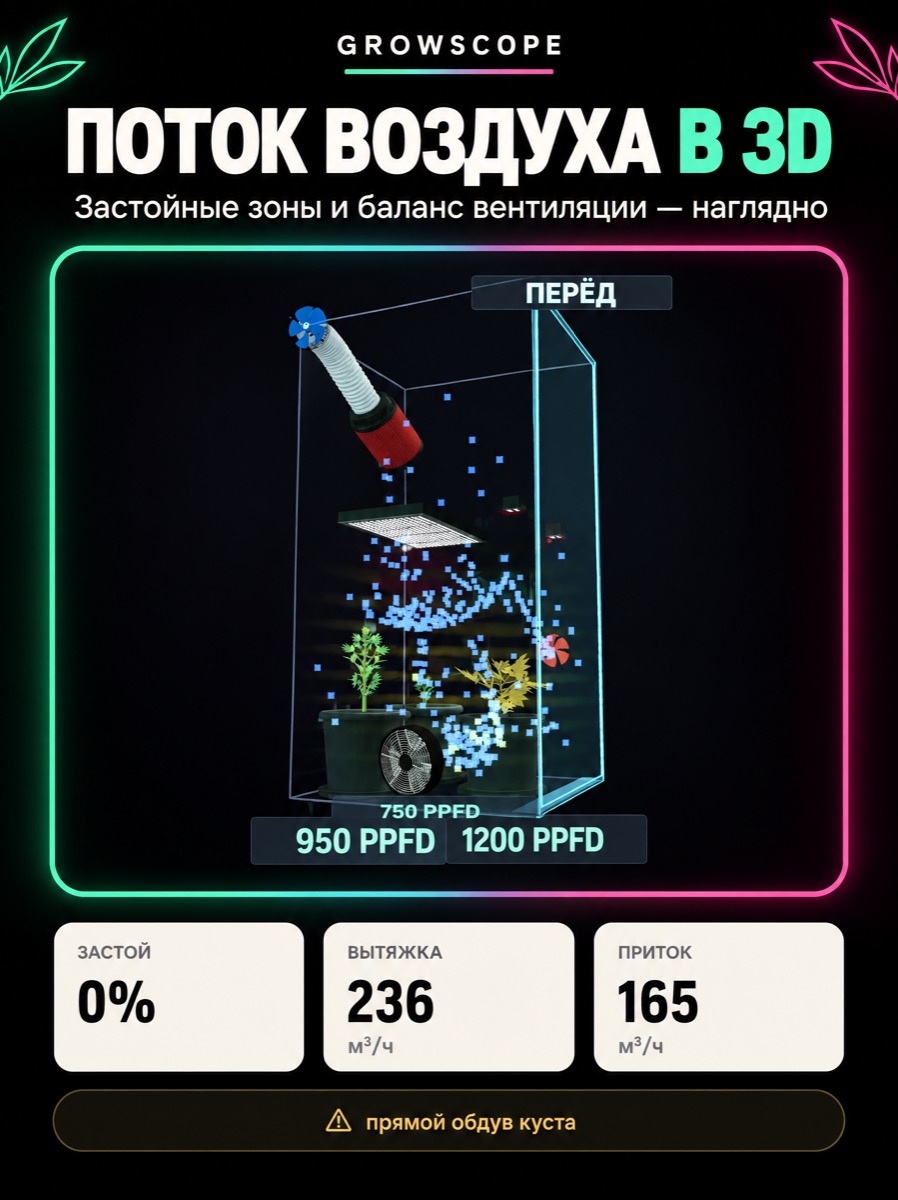
GrowScope builds a 3D airflow map from your real fans and filters — where air is moving, where it's stagnant, and whether a fan is blasting a plant directly. The map and the "Optimize ventilation" button that suggests what to change are both free, on any plan.
The problem
Poor ventilation rarely shows itself to the eye. Your exhaust fan can look powerful enough on paper while a corner of the box barely moves air at all — moisture and odor build up there, and mold and pests do better in exactly those spots. A fan mounted too close to a plant does the opposite: it dries out and damages leaves, which easily gets mistaken for a nutrient or light problem.
Why it's hard to solve alone
Stagnant air and direct fan blast are opposite mistakes, but both are common and both damage a plant slowly and invisibly: stale dead zones invite mold, while leaves under a direct fan stream lose moisture faster than the roots can replace it. Without a visualization of the actual airflow, both mistakes usually only get caught after the fact, from symptoms on the plant itself.
How GrowScope helps
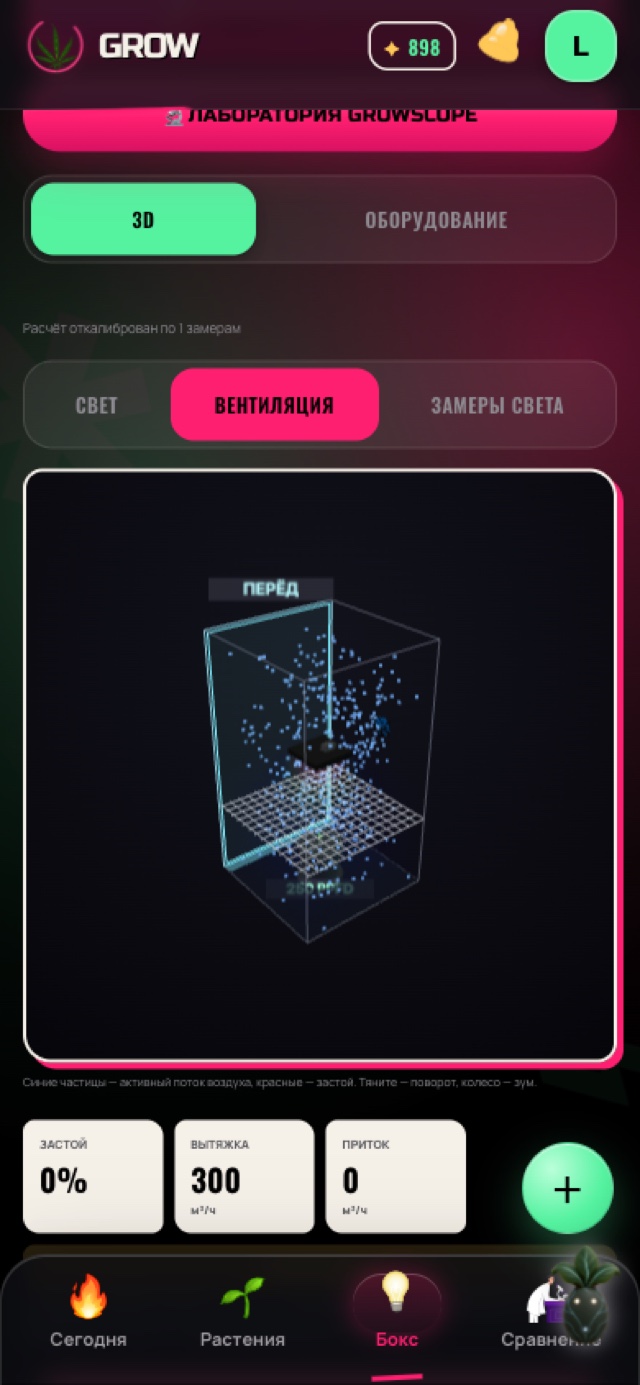
GrowScope renders a 3D visualization of your box from your real fans — role (exhaust, internal, clip-on, low-power), wall placement, speed, direction, and diameter — and any carbon filters you have. Blue particles show active airflow, red shows stagnation; the app separately computes a stagnation percentage, the exhaust/intake balance in m³/h, and warns if a fan is blasting a plant directly. The "Optimize ventilation" button works out the exact per-fan changes with a local deterministic solver: criteria like less stagnation, no direct blast on a plant, and a balanced exhaust/intake ratio are built into the math itself rather than set by AI — so it runs instantly and free, on any plan.
How it works
- Enter your fans (role, wall placement, speed %, direction, diameter) and any carbon filters in equipment setup — the map is computed from this real data, not a generic box.
- Open the Ventilation tab under Light: a particle-based 3D visualization shows active airflow (blue) and stagnation (red), plus a stagnation percentage, exhaust/intake in m³/h, and a direct-blast warning. This is free and needs no AI.
- Tap "Optimize ventilation" to get a recommendation: a local math solver — no AI, no AI credits — works out the exact speed and direction changes per fan.
- Review a before/after comparison of the stagnation percentage and apply the suggested changes with one tap — or discard them and leave everything as-is.
- GrowScope never controls fans directly — no Bluetooth, no Wi-Fi, no relays. Every speed or placement change happens by hand on your own equipment; this is a recommendation tool, not a controller.
In the app

What you get
You see stagnation and direct fan blast before they show up on the plant — instead of guessing afterward why a corner of the box grew mold or why one plant dries out faster than the rest.
Frequently asked questions
Does the ventilation optimizer change my fan speeds by itself?
No. It only shows you what to change, plus a before/after stagnation comparison. Changes are applied to the plan inside GrowScope only when you tap Apply — nothing is sent to the fan itself; you make the speed and placement change by hand on your own equipment.
Are the ventilation map and the Optimize button both free?
Yes, both. The 3D airflow visualization, stagnation percentage, exhaust/intake balance, direct-blast warning, and the "Optimize ventilation" button itself are all a local calculation with no AI — available on any plan, no AI credits spent. Don't confuse this with the separate "AI Equipment Placement" feature (Light tab, the Ventilation block inside the placement panel), which places light and fans together, requires the Pro plan, and does spend AI credits because it asks AI to set priorities before running its own local coordinate solver.
Is this a full CFD airflow simulation?
No — the indoor visualization is particle-based, not a CFD solver, and the balcony 2D map is a deliberately simplified heuristic. Both honestly show the general pattern of stagnation and airflow direction, but neither claims the engineering precision of a real aerodynamics simulation.
Can GrowScope control my fans directly, like AC Infinity or TrolMaster?
No. GrowScope has no hardware or Bluetooth/Wi-Fi integration with fans or climate controllers — it's a visualization and recommendation tool, not a control device. Hardware controllers like AC Infinity or TrolMaster are a separate category of product that can be used alongside GrowScope.