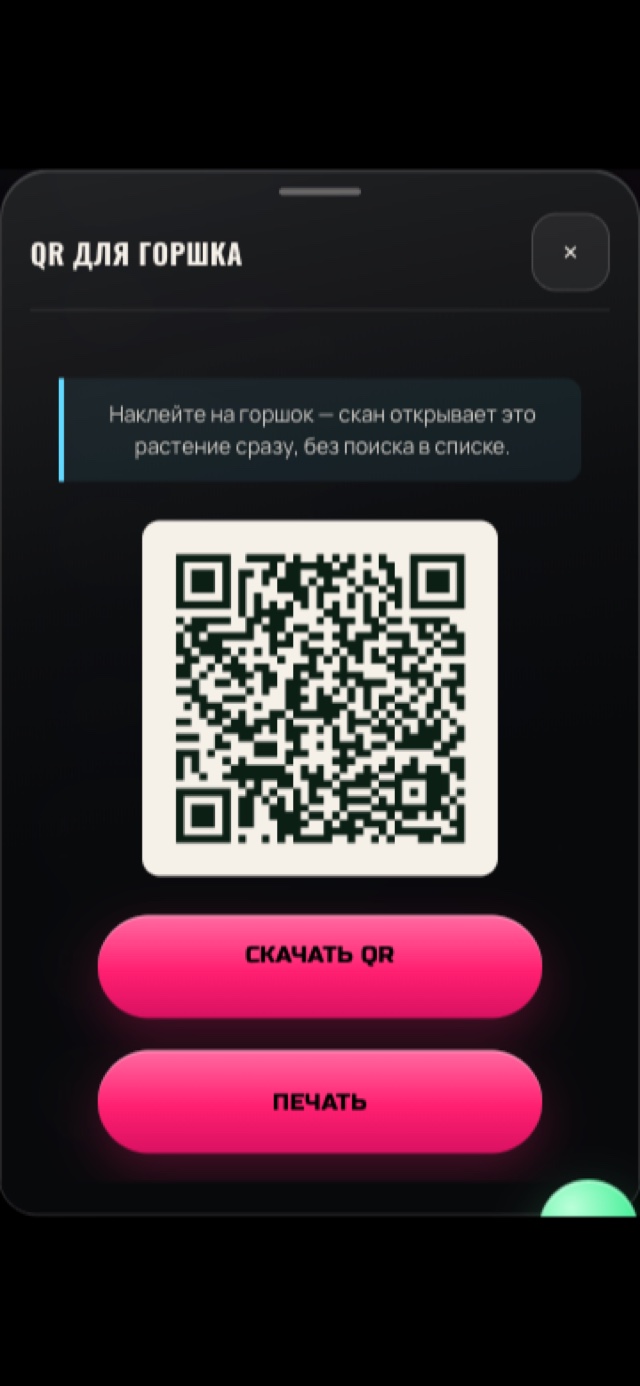
Stick a code on the pot, and scanning it opens that exact plant.
Generate a QR code for any plant, download or print it, and stick it on the pot. Scanning it opens that specific plant's page directly — no searching through a list, and the link only resolves for the account that actually owns that plant.
The problem
With more than one or two plants going, telling pots apart by memory gets error-prone fast — and finding the right plant in a list app is one more step between you and actually logging what you just did.
Why it's hard to solve alone
The fastest way to make logging effortless is removing the step where you have to find the right plant first. A code on the pot itself skips that entirely.
How GrowScope helps
From a plant's page, generate a QR code — built entirely on your device, no server round-trip — that encodes a link to that specific plant. Download it as an image or print it directly from the app, and stick it on the pot. Scanning it with any phone opens GrowScope and jumps straight to that plant, but only if the scanning device is logged into the account that actually owns it — the code carries no readable identity or data on its own.
How it works
- Open a plant's page and generate its QR code — this happens instantly, client-side, with no network request.
- Download the QR code as an image or print it directly, and attach it to the physical pot.
- Scanning the code opens GrowScope and attempts to jump to that plant.
- The link only resolves if the scanning device is already logged into the account that owns that plant — if a stranger scans it, they land on the sign-in screen and nothing from your account is exposed.
In the app
What you get
You go from picking up a pot to looking at that exact plant's page in one scan — with no risk that someone else scanning a lost or shared pot photo ever sees your data.
Frequently asked questions
What happens if someone else scans my pot's QR code?
They land on GrowScope's sign-in screen. The link only opens the specific plant if the scanning device is already logged into the account that owns it — a stranger's scan exposes nothing about your plant or account.
Does the QR code work without an internet connection?
Generating and printing it works offline, since it's built entirely on your device. Opening the link when scanned still requires loading the app, same as using GrowScope normally.
Does this use a third-party QR or link-shortening service?
No — the code encodes a direct link to GrowScope's own app with that plant's ID, generated entirely client-side. No external service is involved in creating or resolving it.
Is QR labeling a Pro feature?
No — it's free for every account, with no plan restriction.